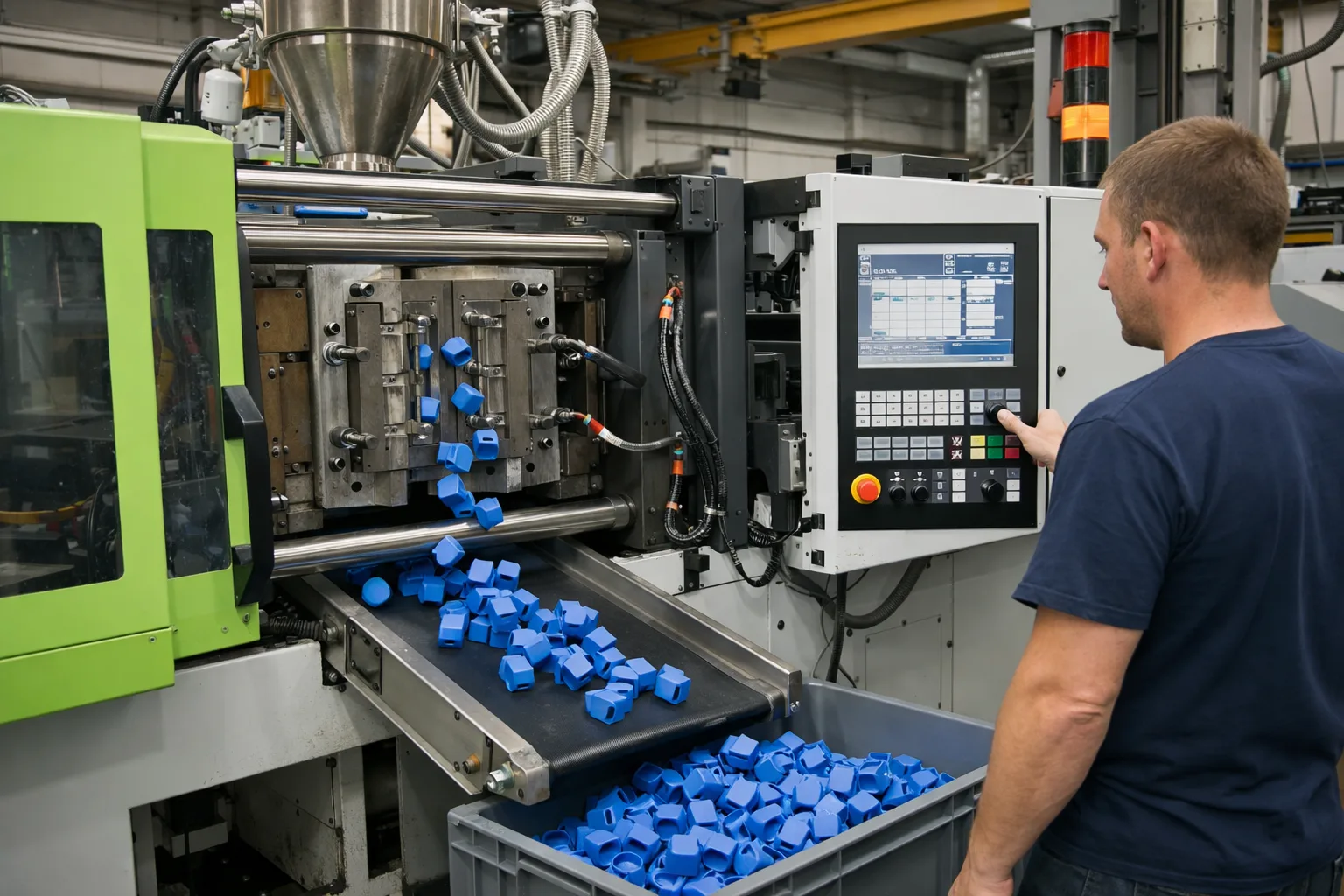
"How high is our scrap rate?"
has four correct answers
in most molding plants.
Machine, quality, shift and ERP each count differently. RheoNet reconciles the figures against each other and shows where scrap, setup time and downtime really originate. As a second step, it optimises the setup sequence. Without changing your MES.
Five situations from the injection molding plant
Not because anyone is doing something wrong. Because the data sits in separate systems that never calculate against each other.
Scrap in four systems.
The machine flags bad cycles, quality blocks parts after visual inspection, the shift reports start-up parts (or does not), the ERP calculates good quantity against target quantity. Every figure is correct, none of them match. Root-cause discussions start as discussions about numbers.
Setup disappears inside the order time.
Whether today's setup was faster than planned is known at the end of the week. Plan vs. actual per tool is missing on the day someone could still react.
The shift learns about downtime on the walk-round.
The machine has stopped, and the information reaches the shift leader when someone walks past. Not at the moment someone could still act.
The setter knows why the machine is acting up. The system does not.
Process parameters and scrap live in separate worlds. The connections between tool, batch, hall and humidity are known, but documented nowhere.
Data sources that were never connected.
The sensor on machine 7, the Excel list from visual inspection, the camera export. None of them worth a project on its own, together the reason why analyses end in gut feeling.
What RheoNet makes visible in the injection molding plant
The system reads machine, quality, shift and ERP exactly as the data is produced today, and calculates the material flow between machine, inspection station and confirmation.
01Scrap reconciled across all systems
Cycles at the machine minus rejected cycles minus quality blocks minus reported start-up scrap equals available good parts. The difference to the ERP confirmation becomes visible instead of disappearing. Then analysable per tool, batch, shift and parameter.
02Setup deviation on the day of the setup
Planned against actual setup time per order and tool. Even without separate setup recording, derived from the machine status. Once actual times per tool are known, this is the basis for setup optimisation: sequence and campaigns.
03Downtime as a push notification
One notification per event: machine, what, where. Order number only if it is an order event. Short enough to have it read aloud during the walk-round.
04Process parameters and scrap in one view
The system marks where cycle time, holding pressure or barrel temperature coincide with scrap. The setter classifies it (sampling, trial tool) and feeds it back with a comment. Next time, the system does not alert.
05New sources without a project
Ambient sensor, Excel list, camera export: the system reads the format, proposes a mapping, a person approves. Then temperature, humidity and air pressure sit next to cycle time and process parameters.
06Measures verified, not assumed
Tool modified, material switched, dryer adjusted: whether it worked shows in the same figures before and after the measure, per tool, batch and shift. Because the data is stored with its context, this is still a query months later, not a research project.
07AI assistant on the real data
Questions in plain language, answers from your data: "Has scrap on tool 14 gone down since the batch change in May?" People decide, the system provides the basis.
Act, sorted by urgency
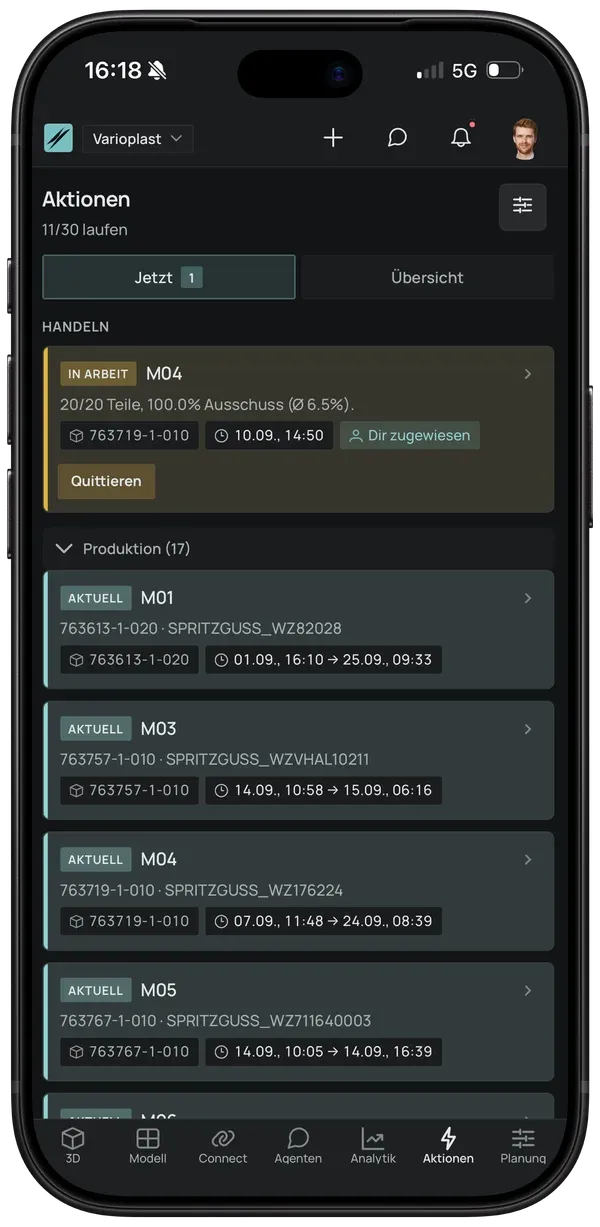
At the top: what needs attention now, a machine with scrap above tolerance, assigned to whoever is on shift. Below it, production per machine with order and tool. Acknowledged on the phone, during the walk-round. The system remembers who took care of it.
What a start needs. And what it does not.
RheoNet reads the data the way it is produced today. Which extract is enough for a first look is clarified on the call. Connecting the live sources happens in the pilot.
Enough to start
- checkERP confirmations as an export (CSV, Excel, SQL)
- checkMachine data as it is produced: Euromap 63/77, OPC UA, file folder or host computer export
- checkQuality bookings (blocks, visual inspection)
- checkOptional: time recording, Excel lists, ambient sensors
Not required
- closeNo MES project and no MES change
- closeNo new reporting points at the machines
- closeNo data engineering team on your side
- closeNo interference with running systems
What comes next
Setup optimisation: sequence and campaigns
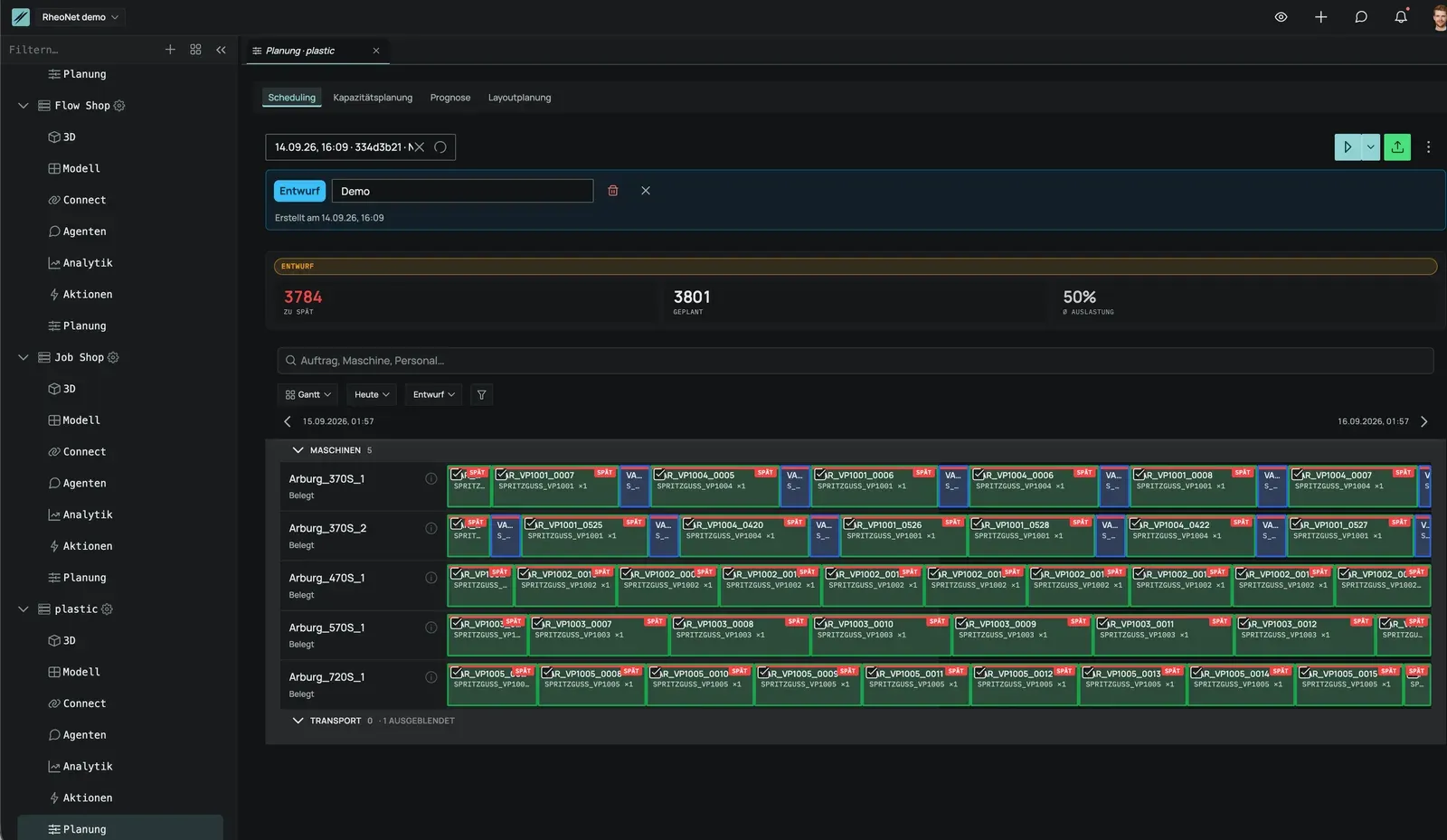
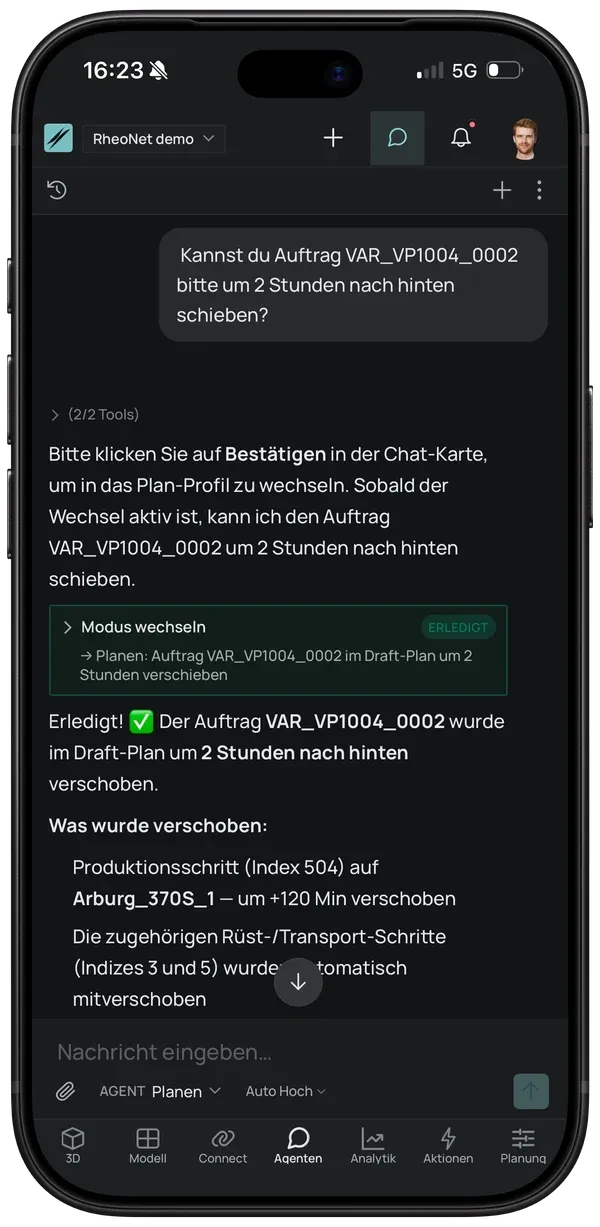
Once scrap, setup deviation and downtime are visible per tool and order, the next question becomes computable: which sequence and which campaign formation save setup time without putting due dates at risk? That is the second step, not the entry point. Changes are made in the Gantt or via chat: "Push order X back two hours", and the system moves setup and transport steps along with it.
Does RheoNet fit your injection molding plant?
Three steps, each without obligation. After each one, you decide whether to continue.
Self-check
Eleven questions about systems and data collection, three minutes. Then a detailed assessment: what the system would show with your data in week 1 and what is still missing.
Call
20 minutes. We clarify which data exists today and whether a data check makes sense.
Free data check
After the call: an agreed extract under NDA, after one week your data as a live view.